photo-booth-qr-code
Photo Booth QR Code: How It Works and How to Set It Up

Photo Booth QR Code: How It Works and How to Set It Up
A photo booth QR code is a scannable square that takes a guest straight to their photos on their own phone. There is no email address to type, no app to install and no waiting for a printout. The guest scans, the gallery opens, and they save or share what they like. You can use it at the booth, and you can also use it for the whole event, which is where photographers get the most out of it.
This guide explains how the idea works, what you need to run it, how to set it up step by step, and what to do when something goes wrong. It also covers guest privacy under Indian law, since you are handing out pictures of people.
Its foreverSimplify Event Photo SharingIts Forever Studio helps photographers share curated event galleries through one QR code, with instant uploads and AI face recognition.Explore the photo platform
TL;DR
A QR code photo booth sends photos to a gallery that guests open by scanning a code with their phone camera. No app is needed.
You need a camera or booth that can upload, a gallery platform, a stable internet connection and a printed or displayed QR code.
The same idea works beyond the booth. One QR code can open the full event gallery, and face recognition can show each guest only their own photos.
Plan for the usual problems: weak venue internet, guests who cannot scan, and photos that have not uploaded yet.
Under India’s DPDP Act, 2023, you need valid consent and a clear purpose when you share people’s photos.
Table of Contents
What a QR code photo booth actually does
Two ways to use a QR code at an event
How to set up a QR code photo booth, step by step
What you need: equipment, software and internet
Organising access and adding your own branding
When a guest cannot scan, or photos are not there yet
Privacy and consent when you share event photos in India
Our perspective: the QR code is the easy part
Using It’s Forever for your next event
Sources
What a QR code photo booth actually does
In a traditional booth, guests step in, pose, and wait for a strip of prints. In a QR code booth, the photo is also sent to an online page. A QR code on the screen, a card or a standee points to that page. The guest scans it with the phone’s own camera and sees the picture right away.
The benefits are practical:
Guests keep a full-quality digital copy instead of one print that gets lost in the bag.
Nobody has to hand over a phone number or email address at a crowded Sangeet.
Hosts get their photos in one place, and they can share the link with relatives who could not attend.
You, as the photographer, are not fielding “please send me my photo” messages for weeks afterwards.
The QR code itself holds no photo. It holds a web address. What matters is the page behind it, so most of your decisions are about that page: who sees it, how it looks, and how quickly photos appear.
Two ways to use a QR code at an event
People searching for this usually mean one of two things, and it helps to know which one you need.
A QR code at the booth
This is the version where each session produces its own small gallery or a single shareable photo. It suits corporate events, brand activations and engagement parties, where guests want a quick fun picture.
A QR code for the whole event
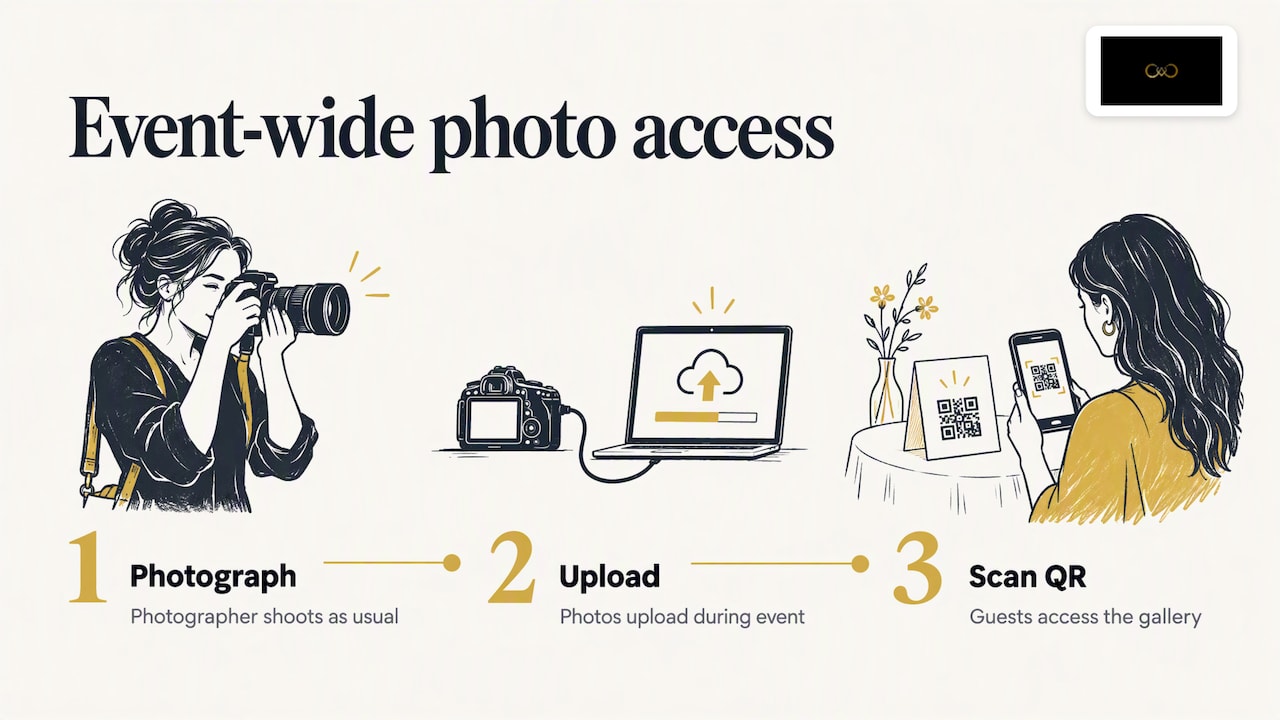
This is the version photographers use at weddings. The photographer shoots as usual, photos upload while the event is still going on, and one QR code gives guests access to the gallery. It can sit on the welcome board, on the table cards or on the Haldi and Mehendi invitations. Guests do not wait for a booth queue, and they get the candid photos, not only the posed ones.
We build for the second version. It’s Forever Studio is photo delivery software, not booth hardware. If you already run a booth, you can still give guests one code that covers the booth and the photographer’s work together. Our QR code photo sharing page shows how that works for weddings, and our blog post on QR codes at weddings looks at it from the guest’s side.
How to set up a QR code photo booth, step by step
The steps are much the same whether you use a booth or a camera.
Decide who the photos are for. Is it a public event gallery, or a private one for the family and invited guests? This decides the settings in every step after it.
Create the event in your gallery platform. Name it, add the date, and pick the branding: your logo, colours and a cover image.
Connect the source of photos. For a booth, that means the booth software uploading to the platform. For a photographer, it means sending photos from the camera or a laptop as you shoot.
Generate the QR code. Download it as a high-resolution image so it stays sharp when printed.
Place the code where guests will see it. Use the entrance, the booth screen, the bar, table cards and the stage screen between ceremonies.
Test on two or three different phones. Use one older Android phone and one iPhone. Do this at the venue, on the venue’s network, before guests arrive.
Run the event and watch the uploads. Check that photos are appearing in the gallery within the first half hour.
Share the final gallery link afterwards. Send the host the complete link, and keep the QR code live for guests who scan late.
If you want to see the delivery side in detail, our page on instant photo delivery for photographers explains uploading straight from the camera during the event.
What you need: equipment, software and internet
Capturing the photos
You need one of two things: a booth setup (a camera, a screen and booth software) or your usual camera. For the camera route, the photos need to reach the platform quickly. Some cameras can send images over Wi-Fi, and others need a laptop or phone in between. Check what your own body supports before the event, not on the day.
The gallery platform
This is the part guests see. Look for these things:
A web gallery that opens in a phone browser, with no app download.
Your own branding, so the page looks like your studio and not a stranger’s product.
Privacy options, so that you can limit who can view or download.
Fast loading on mobile data, since many guests will not be on Wi-Fi.
Internet at the venue
Uploads need a connection, and wedding venues are not always generous with signal. A farmhouse, a palace hotel or a banquet hall with hundreds of guests on the same network can slow down fast. Practical habits that help:
Visit or ask about the venue’s connectivity before the event.
Carry a mobile hotspot with a SIM from a second network provider as a backup.
Upload smaller, edited selections during the event and send the full set later.
Keep the originals safe on your card and drive regardless of what the upload does.
The printed or displayed code
A QR code is only useful if people can scan it. Print it large enough, keep a plain contrasting background, and avoid putting it over a busy photograph. Add a short line of text under it, such as “Scan to see today’s photos”, so guests know what it does. A small card on every table works better than one large board in a corner.
Organising access and adding your own branding
A gallery that opens is good. A gallery that is organised and looks like yours is better, and it is the part clients remember.
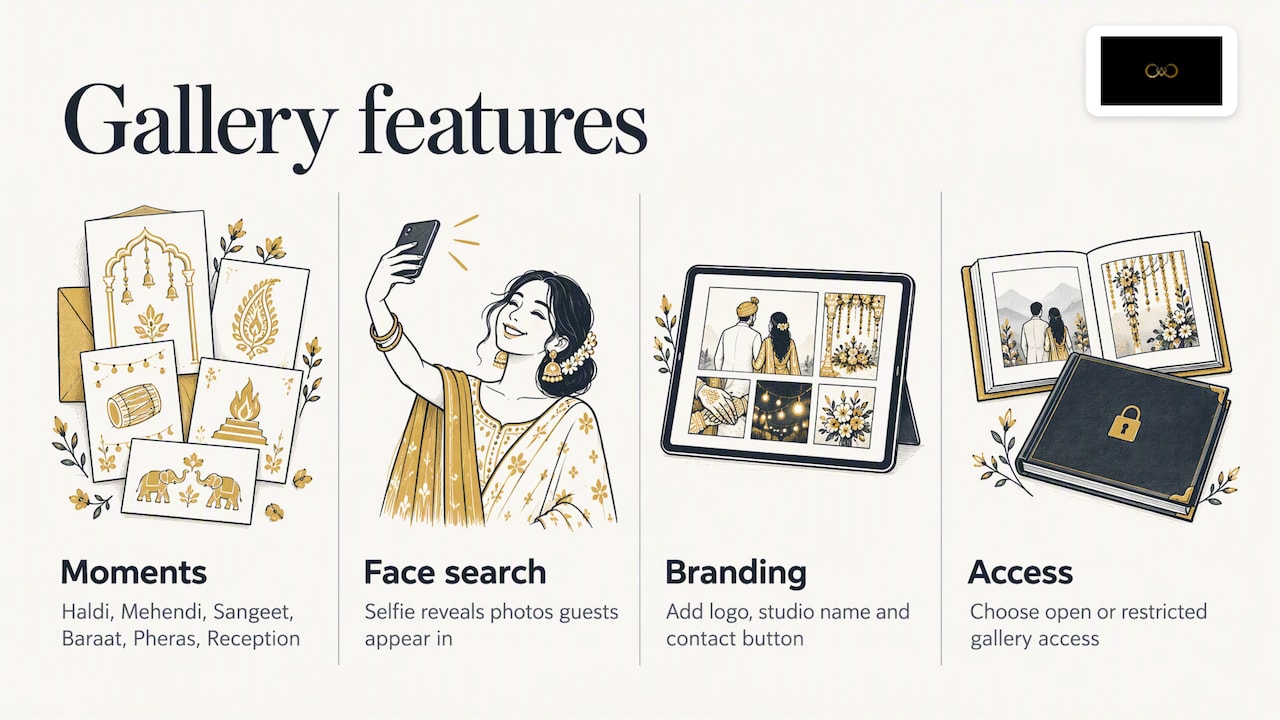
Organise by moment. Group photos by function: Haldi, Mehendi, Sangeet, Baraat, Pheras, Reception. Guests then find their own memories without scrolling through hundreds of pictures. Our post on designing a wedding gallery that feels better to use goes through layouts and ordering.
Let guests find themselves. With a big wedding, the biggest complaint is finding your own face among 2,000 images. Face recognition lets a guest take a selfie and see only the photos they appear in. Indian weddings are a hard test for this, with low stage lighting, bright decor, crowded group shots and heavy colour. We tuned our recognition for those conditions, and you can read more on our face recognition photo sharing page.
Put your name on it. Add your logo, studio name and contact button to the gallery. Each time a guest opens it and shows it to a cousin, your studio is in front of a likely future client. We cover turning this into enquiries in our guide to lead capture with QR codes.
Control who sees what. Decide whether the gallery is open to anyone with the link, or restricted. The couple may want the intimate pre-wedding and Pheras photos kept for family only, while the party photos are for everyone.
When a guest cannot scan, or photos are not there yet
Something will go slightly wrong at some point. Here is how to handle the usual cases.
The code will not scan
Ask the guest to open the phone camera, not a third-party app, and hold steady for a couple of seconds about 20 to 30 cm from the code.
Check the lighting. A code on a dark stage screen or behind glare is harder to read.
Print a short web address under the code so guests can type it in.
Keep a helper near the entrance who can scan for guests who struggle, particularly older relatives.
The page opens but is empty or slow
Tell guests that photos are added as the event progresses, and to check back later.
Confirm your own upload is working: look at the gallery on your phone, not just on your laptop.
If the venue network is the problem, switch to your backup hotspot and upload the next batch.
A guest wants a photo that is not in the gallery
Check whether it is in a hidden or restricted album.
Ask when it was taken. It may be in a batch you have not uploaded yet.
Offer to send it once the full edit is done.
Guests who do not use smartphones
Some older guests will not scan anything. Let a family member collect on their behalf, and give the host the full gallery link to forward on WhatsApp.
Privacy and consent when you share event photos in India
A photograph of a recognisable person is personal data. India’s Digital Personal Data Protection Act, 2023 says personal data may be processed for a lawful purpose, either with the person’s consent or under certain specified legitimate uses. The same Act sets out what a consent request must contain: a notice of what data is collected and why, how the person can exercise their rights, and how to complain. Consent must be free, specific, informed, unconditional and unambiguous.
For a photographer, that translates into some everyday habits:
Tell people what the QR code does. A line on the card is a good start: photos from this event, who can see them, and who to contact.
Keep face recognition to its purpose. If guests use a selfie to find their photos, say that this is what it is for.
Respect withdrawal. The Act says that once consent is withdrawn, processing has to stop within a reasonable time, unless the law requires or authorises otherwise. Have a way for a guest to ask for a photo to be hidden or removed.
Limit access. Use restricted galleries for sensitive functions, and agree with the couple who may download.
Put it in your contract. Note in your booking agreement how photos will be delivered, stored and shared.
The rules are being brought into force in phases, so check the official Ministry of Electronics and Information Technology pages for what currently applies to your business. If you handle large volumes of guest data, or are unsure about your obligations, a lawyer who works on data protection is the right person to ask.
On our side, we built privacy controls so that hosts can manage guest access and album selection. Our blog guide to wedding photo sharing in India covers the practical side for couples and photographers.
Our perspective: the QR code is the easy part
We talk to wedding photographers often, and the pattern is the same. The shoot goes well, the edit takes time, and then delivery turns into a mess: a Drive link for the family, a different one for friends, a WhatsApp group with compressed pictures, and a bride’s cousin asking where her photos are.
That is why we do not think of a QR code as a gimmick for the booth. It is one way in, for everybody. A single code on a card, and every guest lands in the same branded gallery. The photographer does not send ten links. The family does not have to ask.
Three things matter more than the code itself. First, speed: when photos appear during the event, guests are still excited, and they show the gallery to others. Second, finding yourself: nobody scrolls through 2,000 photos, so face recognition that holds up in Indian wedding lighting is what makes the gallery worth opening. Third, trust: the couple’s privacy is not negotiable, so the photographer should decide who sees what.
If you are choosing a setup, begin with the delivery experience you want the guests to have and then work back to the tools.
— Gowtham
Using It’s Forever for your next event
It’s Forever Studio is built for photographers and studios who want one clean delivery workflow. You upload from the camera as you shoot, guests open the gallery by scanning a QR code without installing anything, and face recognition helps them find their own photos. The gallery carries your branding, clients can select albums online, and WhatsApp-linked lead generation helps turn guests into your next enquiries.
Pricing is pay-as-you-go and based on the storage you use and the duration of the event, with no yearly plan. There is a free trial, so you can test it on a real event before you pay.
To see how the QR flow works for weddings, visit our QR code photo sharing page, or start with It’s Forever Studio and set up your first event gallery.
FAQ
Do guests need an app to use a photo booth QR code?
No. A modern phone camera reads a QR code directly and opens the gallery in the browser. That is why a web-based gallery is easier for guests than anything that asks for a download.
Can I use a QR code if I do not have a photo booth?
Yes. The code only points to a gallery, so it can lead to photos from your main camera. Photographers use this at weddings to share the event gallery with guests, without any booth hardware.
How quickly will photos appear after the guest is photographed?
It depends on how you upload and on the venue’s connection. With direct uploads from the camera and a stable network, photos can show up while the event is still on. With a weak network, plan to upload smaller selections first and the full set later.
Is it legal to share event photos through a QR code in India?
Sharing is lawful when it rests on a valid basis such as consent, and when the person has been told what the photos are used for. The DPDP Act, 2023 requires consent to be free, specific, informed, unconditional and unambiguous. Ask a data protection lawyer if your case is not straightforward.
What if the QR code stops working?
Keep a short web address printed under the code, and keep the gallery link ready to send over WhatsApp. Test the code on more than one phone before the event, and keep a helper near the entrance.
Sources
Recommended
Deliver photos to every guest — instantly.
Forever handles instant delivery, QR sharing, and face recognition — all in one place. Try it free.
Start for free →