wedding-photo-sharing
Wedding Photo Sharing: A Practical Guide for Indian Weddings

Wedding Photo Sharing: A Practical Guide for Indian Weddings
The best way to share wedding photos with guests is one private gallery, opened through a single QR code, with a way for each guest to find their own pictures. It needs no app, no password to remember and no pile of Drive links on WhatsApp. This guide covers how to set that up, what to check before you commit, and how to handle privacy for a wedding where 300 people may be in the frame.
It is written for two readers: couples planning how their guests will see photos, and photographers who deliver them. The problems are the same on both sides.
ItsforeverMake Wedding Photo Sharing EasierItsforever helps photographers deliver curated event galleries through a single QR code, with instant uploads and AI face recognition.Visit Itsforever Studio
TL;DR
One QR code that opens one branded gallery is easier for guests than several links, files and chat groups.
Guests rarely want 800 photos. They want the ten they appear in, so face search plus a manual browsing option matters.
Upload time and storage time are separate. Ask how long the gallery stays online, and whether you can download originals.
Face matching is a convenience, not proof of identity. Ask for consent, notice and a deletion option.
For Indian weddings, check that the system copes with low light, crowds, jewellery and several functions across days.
Table of Contents
Why wedding photo sharing goes wrong
The main ways to share wedding photos, compared
How QR code access works for guests
Helping guests find their own photos
Privacy: what to ask before you upload 1,000 faces
How long should the gallery stay online?
What a good wedding gallery feels like
If you are the photographer: delivery that supports your business
Our perspective
Try it for your next event
A simple plan for sharing wedding photos
Sources
Why wedding photo sharing goes wrong
Picture the week after a wedding. The photographer sends a link to the couple. The couple forwards it to the family group. An uncle asks for “the Baraat photos only”. A cousin cannot find herself in 1,200 images. Someone’s phone has no storage left. Another link is created for the Haldi, and a third for the reception.
None of this is anyone’s fault. It happens because the usual tools were built for sending files, not for helping 200 people find their own moments. A plain folder link has no guest experience, no privacy controls and no way for the photographer to stay visible.
There are really three jobs to do:
Get the photographer’s selected photos to the couple and family.
Let guests find the photos they appear in.
Let guests and family share what they shot on their own phones, if the couple wants that.
Most tools do one of these well. Decide which matters most to you before comparing options.
The main ways to share wedding photos, compared
There is no single answer, so here is how the common types of method compare, without naming products.
Method | Good for | Weak spot |
|---|---|---|
Cloud folder link | Sending the full set to the couple | Guests get everything or nothing, links get forwarded freely, no branding |
Messaging app groups | Quick previews on the day | Compression lowers quality, photos get buried, no organisation by function |
Guest upload apps | Collecting what guests shot on phones | Quality varies, guests may need to install or sign up, not the professional photos |
Photographer gallery with QR access | Delivering professional photos to everyone | Depends on the platform you choose and its storage terms |
Gallery with AI face search | Large weddings where guests want only their photos | Needs consent, a backup way to browse and honest expectations on accuracy |
Guest upload apps are popular, and they are good for candid phone photos. But they do not replace the photographer’s edited work. If your priority is professional photos reaching family quickly, you want a photographer-led gallery. If you also want phone clips from the sangeet, you can run a guest upload alongside it.
How QR code access works for guests
A QR code is simple. The guest points their phone camera at it, and the gallery opens in the browser. Nothing to download, no account to create.
That last point matters at an Indian wedding, where guests range from teenagers to grandparents. A grandmother who will never install an app can still be helped by a nephew who scans a code on a printed card.
Places to put the code:
On the wedding invitation or a card at the reception table.
On a small standee near the photo booth or the stage.
In the post-wedding thank-you message on WhatsApp.
On the photographer’s own thank-you card to the family.
Our own guide to QR code photo sharing for weddings explains how a single code can stand in for several links.
Helping guests find their own photos
This is where most galleries disappoint. A gallery of 600 selects sorted by time still asks a guest to scroll through the Mehendi, the Haldi and the Baraat looking for one face.
Face search solves that. The guest takes a quick selfie, and the gallery shows photos that appear to match. It saves a lot of scrolling, and it makes guests more likely to open the gallery at all.
Be realistic about it, though. Google’s public guidance on facial recognition separates face detection from face recognition and says no system is perfect for every person. Indian weddings are a hard test: dim marquees, mixed coloured lighting, heavy makeup, dupattas, turbans, jewellery, and people turned away mid-dance. So the sensible approach is:
Treat face search as a shortcut, not a verdict.
Always keep manual browsing, by function or by album, available.
Let guests report a wrong match or ask for a photo to be hidden.
We built our face recognition photo sharing around exactly those conditions, including group shots and Indian wedding lighting. For background on the wider shift, see our post on how AI is changing wedding photography.
Privacy: what to ask before you upload 1,000 faces
A wedding gallery holds photos of many people who never signed anything. Children, elderly relatives and guests who prefer not to be tagged are all in there. That makes privacy a real part of choosing a platform.
India now has a legal framework for this. The government notified the Digital Personal Data Protection Rules in November 2025, with an 18-month phased timeline for organisations to comply. The rules call for clear, standalone consent notices that explain the purpose of the data collected. How these obligations apply to a specific studio or platform depends on its role and how it uses the data, so a photographer who runs a production gallery should take legal advice.
One commentary on photographers and the Act explains that a photographer is generally a data processor when hired for a wedding and the photos go to the client. Consent, purpose and security are also recurring themes in Deloitte’s discussion of data privacy in India.
In practical terms, ask the photographer or platform these questions:
Who can open the gallery, and can the host switch access off?
Is face search optional for each guest?
Is there a plain-language explanation of what is processed and why?
Can a photo or a guest’s data be deleted on request?
Is the gallery used only for delivery, and not for something else?
If the answers are vague, keep looking. Couples should also feel free to tell the photographer which relatives, such as young children, should not appear in shared galleries.
How long should the gallery stay online?
Couples often assume “online” means “forever”. Usually it does not. Many services keep the gallery for a limited period, and some links stop working unless someone pays to renew.
Before you agree, write down:
The date guests can no longer view the gallery.
Whether you can download full-resolution originals, and until when.
Whether videos are included, and any size limits.
Whether the host can remove individual photos.
What happens if you want to extend.
We go deeper on this in how long a wedding gallery should stay online. Even if you download everything, keep a second copy on a hard drive. An online gallery is for sharing, not your only backup.
What a good wedding gallery feels like
A gallery should feel like part of the wedding, not like a file server. A few things make the difference.
It loads quickly on a mid-range phone. Most guests will open it on mobile, often on a patchy connection.
It is organised by function. Mehendi, Haldi, Sangeet, Baraat, Pheras and reception should each be their own section, so a guest from the bride’s side can skip to what they attended.
It carries the photographer’s name. The couple remembers who took the photos, and guests who love them know whom to call. Our post on designing a wedding gallery that feels better to use covers layout in more detail.
It lets the couple choose. After the wedding, the family often selects pictures for the printed album. Doing that inside the gallery, rather than through screenshots on WhatsApp, saves everyone time. See how online album selection works.
If you are the photographer: delivery that supports your business
For a photographer, sharing is also a business moment. When 300 guests open a gallery with your name on it, some of them are about to get married, or have a sibling who is.
Two things help here. First, keep the process visible: the couple should know where their photos are, whether in culling, editing, or ready. That cuts repeated “any update?” messages. We describe the work that remains after the last pheras in what work is left for the photographer after the wedding.
Second, make it easy for interested guests to contact you. Many Indian photographers already take enquiries on WhatsApp, so a gallery that leads straight to that conversation fits how you already work. Our guide on turning every wedding into more leads shows how.
Our perspective
We started from a simple observation: photo delivery at Indian weddings is a people problem before it is a technology problem. A couple wants to see their day. Their parents want to see the relatives. Guests want to see themselves. And the photographer wants all of this to happen without sending the same link forty times.
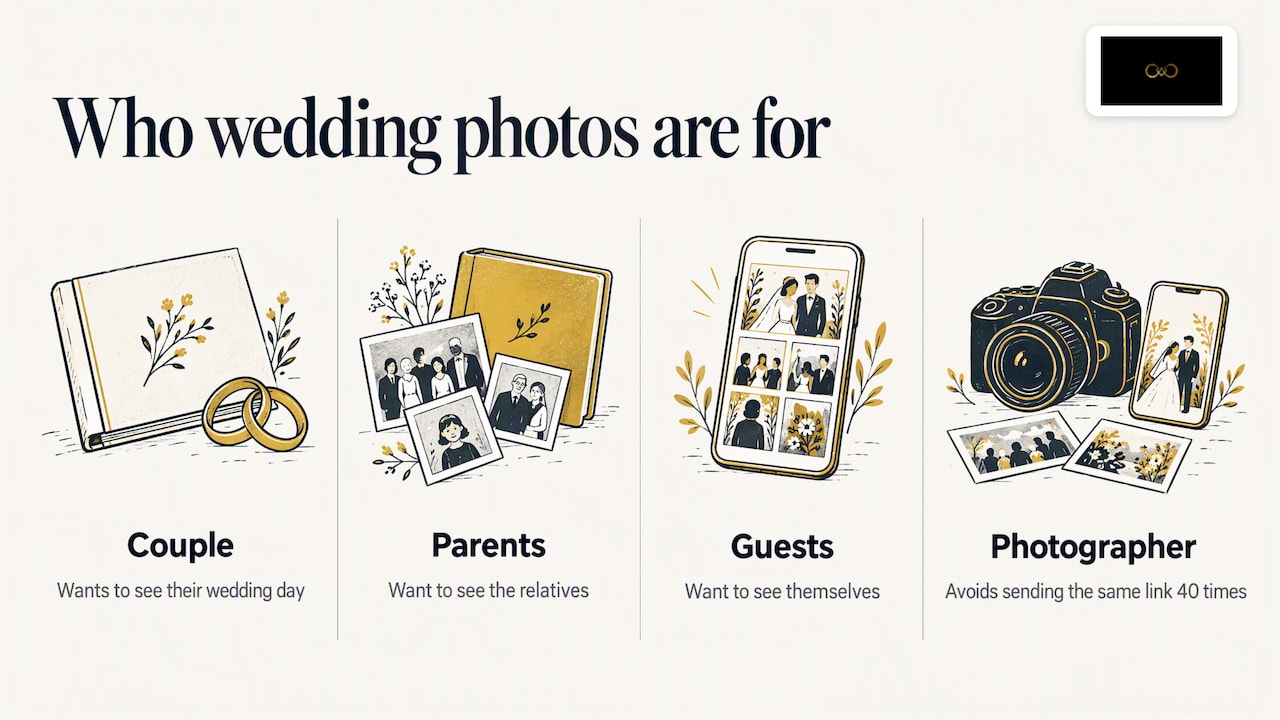
So we built around those needs. Photos can go up straight from the camera, so previews do not wait for the studio to get back. Guests get in with a QR code, with no app to install. Face recognition is tuned for the lighting and crowd conditions that Indian weddings throw at it, and the host keeps control over who sees what, including album selection.
We also think face search should never be forced. It should be a convenience that guests choose, with a manual route always available. That is the standard we hold ourselves to, and the one we would suggest you hold any platform to.
— Gowtham
Try it for your next event
If you are a photographer or studio looking for one place to deliver, let guests find their photos and keep your branding, you can see how It’s Forever works. You pay for the online storage and event duration you need, with no fixed plans or yearly subscription, and you begin with a free trial. For the delivery side specifically, see our page on instant photo delivery.
A simple plan for sharing wedding photos
Here is an order that works for most couples.
Before the wedding: talk to the photographer about gallery duration, privacy and whether guests may upload their own photos.
On the day: place the QR code where guests will see it, and mention it once in the announcements.
Within days: share a small preview with the couple so family can see highlights while they wait.
After editing: open the full gallery to guests, with face search as an option and manual browsing alongside.
After selection: choose album photos in the gallery and confirm them.
Before the gallery expires: download your originals and keep a second backup.
FAQ
What is the best way to share wedding photos with guests?
A single private gallery opened by a QR code works best for most Indian weddings. Guests need no app or account, and you control access. Add face search if the guest list is large, and keep a manual browsing option.
Is a WhatsApp group enough for wedding photos?
It is fine for a few quick previews. Photos are usually compressed, they get buried in other messages, and you cannot organise them by function. For the full set, a gallery is a better choice.
Is it safe to use face recognition for wedding photos?
It can be, when it is opt-in, explained in plain words and paired with a way to correct or remove photos. Remember that no face system is perfect for everyone, so treat results as suggestions. For a production policy, a photographer should take legal advice on Indian data protection rules.
How long should wedding photos stay online?
Ask for the exact expiry date before you book, and whether you can download originals. Treat the online gallery as a sharing tool and keep your own backup. Our guide to gallery duration lists what to check.
Sources
Recommended
Deliver photos to every guest — instantly.
Forever handles instant delivery, QR sharing, and face recognition — all in one place. Try it free.
Start for free →